Wednesday, May 18, 2011

Thoughts to be featured on Apples Mac App Store retail posters


Browsing on apple.com yesterday i explored the new apple Mac App Store website. And i found the Thoughts icon on it, isn´t that awesome. Apple salso told us that Thoughts is featured on all Apple reatil posters in the Apple Stores worldwide:)
Check it out for yourself.

cheers dietmar

Monday, April 11, 2011

Deskscribble 1.1 available on the Mac App Store

We are happy to announce that only 5 weeks after the release of Deskscribble 1.0 we are updating Deskscribble and bringing it to a whole new level.

Version 1.1 of Deskscribble brings many major improvements and new features along with a reworked GUI. So many new features that i cannot name all of them. To name a few of them: new sharing options for facebook cloudapp and flickr, new presentation mode, new click through tool, new global shortcuts.

Hope you really like the update, cheers dietmar

These are the change notes:

Performance Improvements
• Greatly improved the drawing performance.

Minimizing the Tools Palette
• By dragging or clicking on its handle, you can now minimize the tools palette to get out of the way.

New Cursors
• Now the cursor shows the tool that's currently selected.

New tool: Clickthrough
• Allows you to interact with all applications while the drawing is in the foreground.

Added Presentation Mode
• Allows you to use application like Keynote and Powerpoint, drawing on top of the slides! (See our help page on how to configure Keynote for this)
• Works best in combination with the clickthrough tool.

Added Hotkey Support
• System-wise hotkeys for switching between Deskscribble and the other applications and for all three tools.
• They're user-configurable in the preferences.

Added Tool Shortcuts
• All tools have single-key shortcuts now (as long as Deskscribble is in the foreground).
• Take a look at the preferences for a list.
• Works especially well when the tools palette is minimized.

Added Support for Multiple Screens
• Select the monitor to use for scribbling in the preferences.

Export Image Types
• Images can now be exported in the GIF, JPEG, JPEG2000, PDF and TIFF format along with the already existing PNG integration.

Social Integration: Upload your creations to the Internet! Share with your colleagues, friends and family!
• Facebook
• Flickr
• CloudApp

Other Things
• Switching between canvas colors now fades.
• Added a button in the tools palette to quickly switch out of Deskscribble without quitting it.
• Added pinch gesture for changing the tool size and the swipe gesture for changing the canvas background.
• Added a context menu for quickly switching settings while drawing.
• Added a list of color presets (the full color range is still available though!).
• Added the "View" menu to minimize the tools palette and showing the colors palette.
• Added help files.

Monday, March 21, 2011

Making of Deskscribble: The power of pure Open GL!

For all those wondering how Deskscribble makes so smooth lines, Deskscribble is completely built up on a customly created OpenGL drawing engine built from the ground up for speed and smooth lines. Yes we mean that Open GL that is used for the newest high end Graphics Games.

For those of you who where interested, Deskscribbles drawing engine was coded in many months to give a perfect and smooth drawing experience. The drawing engine has about 2500 lines of code just for drawing smooth lines and running really speedy.

Behind the simplified GUI of deskscribble is a really powerfull engine which is just waiting to be used by all of you drawing your craziest drrwaings, doodles, notes and more. Try it today. Only on the Mac App Store. Limited time only for $ 6.99

Welcome Deskscribble, the new greenandslimy app. Available now only on the Mac App Store!


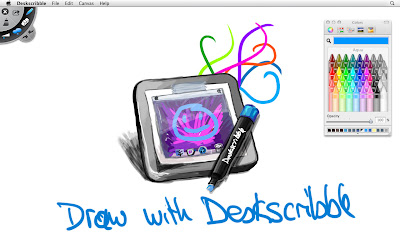
Deskscribble is a new app allowing to scribble on top of your desktop, on a whiteboard or on a blackboard for presentation purposes, draw nice scribbles, notes and more.

It is so simple and straight forward to use that even your kids can doodle around with Deskscribble.


Deskscribble has full wacom tablet pressure sensitivity support as undo/redo support, opacity support, autosaves your work so when you quit deskscribble and launch it again everything is there as you left it. One click and your board is wiped. Saving your scribbles is also no problem, and you can even import images.

Deskscribble is perfect for:

• Presentations
• Visual demonstrations
• Desktop highlighting
• Annotations
• Writing notes
• Scribbles
• Kids doodles
• and much much more…

Thursday, February 3, 2011

Thoughts 1.1 available at the Mac Appstore.

Finally Thouhgts 1.1 codename Monocle is also available at the Mac Appstore. Apple needed more time for reviewing then wie thought. Anyone who bought Thoughts via the Mac Appstore can update now.

Cheers Dietmar

Thursday, January 20, 2011

Thoughts 1.1 Codename "Monocle": Available now!

We are really thrilled to tell you that our next update of Thoughts is out now.
With Thoughts 1.1 Codename Monocle we introduce many new features and imrpovements
to make working with Thoughts even easier.

• Added searchfield in shelf to search for booknames (supports shortcut cmd-F)
• Added possibility to import documents into new book or import documents into current book (supports txt, rtf, rtfd, doc, docx, otd, html and webarchive)
• Added possibility to drag and drop pages from one book into another
• Added support for longer booktitles
• Added Fullscreenmode for books
• Added possibility to show/hide date in pages list
• Added preferences option to disable animations at all
• Added confirmation sheet for deleting books
• Added option menu for dock icon

Besides this we also fixed some hard to crack bugs. Printing should work fine now without cropping pages.

Thoughts 1.1 Codename Monocle can be downloaded via www.thoughtsapp.com/Thoughts.dmg or via Check for Update in Thoughts. We also submitted the new version to the Mac Appstore and hope that it will be available there soom too. We will keep you up to date.

I want to say thanks to our translaters around the world who helped us supporting 11 languages for Thoughts. Thanks for all our supportive customers too.
We hope you all like this update. cheers Dietmar

Friday, January 14, 2011

Thoughts 1.1 Codename "Monocle"

Today i will talk about something special. Currently we are hard at work on finishing the newest version of Thoughts version 1.1 called "Monocle". It will introduce some things you have been asking for a while now and i am happy to introduce 3 of the new features which will make working with Thoughts even easier.

1. Searching for books
Monocle will offer a searchfiel in the shelfs upper right corner to let you search through all your books. No need to scroll through hundreds of books to find the one. Just type in the book name and it is there.

2. Importing
Finally you can easily import all your text documents into Thoughts. Monocle will offer to import multiple text documents into books. Supported formats are txt, rtf, rtfd, doc, docx, otd, html and webarchive.
Just click on import, select multiple documents and Thoughts will create a new book and creates one page per document. Smart and simple. You can also import documents into already created books.

3. Drag and drop pages from one book into another
Thoughts 1.1 Monocle will allow you to sort Pages not only inside a give book, but from one book into another. So if you feel the need that a page of one book better fits the content of another book, just open both books, side by side, and drag the page to the page list of the other book, done.
We are also working on other improvements which you have been waiting for a while now. Thoughts 1.1 Monocle will be available soon.

One extra for greenandslimy store customers: Thoughts 1.1 Monocle will be available to you via sparkle before it will be available in the Mac Appstore.

We are really excited and hope you will like it as we do;)
cheers dietmar