
We are happy to announce the all new drawing experience for beginners and professionals. Sketchoo is now available in version 1.1.1 which fixes many minor issues:
* Fixed an issue where the brush options palette might not be displayed properly.
* Fixed the behavior of the miniaturize button in the gallery and paint window.
Everyone using the Mac Appstore version should update to the latest version of Sketchoo.
http://itunes.apple.com/us/app/sketchoo/id443293691?mt=12
cheers dietmar
Tuesday, November 22, 2011

Wednesday, May 18, 2011
Thoughts to be featured on Apples Mac App Store retail posters

Browsing on apple.com yesterday i explored the new apple Mac App Store website. And i found the Thoughts icon on it, isn´t that awesome. Apple salso told us that Thoughts is featured on all Apple reatil posters in the Apple Stores worldwide:)
Check it out for yourself.
cheers dietmar
Monday, April 11, 2011
Deskscribble 1.1 available on the Mac App Store
We are happy to announce that only 5 weeks after the release of Deskscribble 1.0 we are updating Deskscribble and bringing it to a whole new level.
Version 1.1 of Deskscribble brings many major improvements and new features along with a reworked GUI. So many new features that i cannot name all of them. To name a few of them: new sharing options for facebook cloudapp and flickr, new presentation mode, new click through tool, new global shortcuts.
Hope you really like the update, cheers dietmar
These are the change notes:
Performance Improvements
• Greatly improved the drawing performance.
Minimizing the Tools Palette
• By dragging or clicking on its handle, you can now minimize the tools palette to get out of the way.
New Cursors
• Now the cursor shows the tool that's currently selected.
New tool: Clickthrough
• Allows you to interact with all applications while the drawing is in the foreground.
Added Presentation Mode
• Allows you to use application like Keynote and Powerpoint, drawing on top of the slides! (See our help page on how to configure Keynote for this)
• Works best in combination with the clickthrough tool.
Added Hotkey Support
• System-wise hotkeys for switching between Deskscribble and the other applications and for all three tools.
• They're user-configurable in the preferences.
Added Tool Shortcuts
• All tools have single-key shortcuts now (as long as Deskscribble is in the foreground).
• Take a look at the preferences for a list.
• Works especially well when the tools palette is minimized.
Added Support for Multiple Screens
• Select the monitor to use for scribbling in the preferences.
Export Image Types
• Images can now be exported in the GIF, JPEG, JPEG2000, PDF and TIFF format along with the already existing PNG integration.
Social Integration: Upload your creations to the Internet! Share with your colleagues, friends and family!
• Facebook
• Flickr
• CloudApp
Other Things
• Switching between canvas colors now fades.
• Added a button in the tools palette to quickly switch out of Deskscribble without quitting it.
• Added pinch gesture for changing the tool size and the swipe gesture for changing the canvas background.
• Added a context menu for quickly switching settings while drawing.
• Added a list of color presets (the full color range is still available though!).
• Added the "View" menu to minimize the tools palette and showing the colors palette.
• Added help files.
• Greatly improved the drawing performance.
Minimizing the Tools Palette
• By dragging or clicking on its handle, you can now minimize the tools palette to get out of the way.
New Cursors
• Now the cursor shows the tool that's currently selected.
New tool: Clickthrough
• Allows you to interact with all applications while the drawing is in the foreground.
Added Presentation Mode
• Allows you to use application like Keynote and Powerpoint, drawing on top of the slides! (See our help page on how to configure Keynote for this)
• Works best in combination with the clickthrough tool.
Added Hotkey Support
• System-wise hotkeys for switching between Deskscribble and the other applications and for all three tools.
• They're user-configurable in the preferences.
Added Tool Shortcuts
• All tools have single-key shortcuts now (as long as Deskscribble is in the foreground).
• Take a look at the preferences for a list.
• Works especially well when the tools palette is minimized.
Added Support for Multiple Screens
• Select the monitor to use for scribbling in the preferences.
Export Image Types
• Images can now be exported in the GIF, JPEG, JPEG2000, PDF and TIFF format along with the already existing PNG integration.
Social Integration: Upload your creations to the Internet! Share with your colleagues, friends and family!
• Flickr
• CloudApp
Other Things
• Switching between canvas colors now fades.
• Added a button in the tools palette to quickly switch out of Deskscribble without quitting it.
• Added pinch gesture for changing the tool size and the swipe gesture for changing the canvas background.
• Added a context menu for quickly switching settings while drawing.
• Added a list of color presets (the full color range is still available though!).
• Added the "View" menu to minimize the tools palette and showing the colors palette.
• Added help files.
Monday, March 21, 2011
Making of Deskscribble: The power of pure Open GL!
For all those wondering how Deskscribble makes so smooth lines, Deskscribble is completely built up on a customly created OpenGL drawing engine built from the ground up for speed and smooth lines. Yes we mean that Open GL that is used for the newest high end Graphics Games.
For those of you who where interested, Deskscribbles drawing engine was coded in many months to give a perfect and smooth drawing experience. The drawing engine has about 2500 lines of code just for drawing smooth lines and running really speedy.
Behind the simplified GUI of deskscribble is a really powerfull engine which is just waiting to be used by all of you drawing your craziest drrwaings, doodles, notes and more. Try it today. Only on the Mac App Store. Limited time only for $ 6.99
Welcome Deskscribble, the new greenandslimy app. Available now only on the Mac App Store!
We are happy to anounce that our newest app. Get Deskscribble as cheap as $ 6.99 introductory price now while it´s hot;) Only available on the Mac App Store!
Deskscribble is a new app allowing to scribble on top of your desktop, on a whiteboard or on a blackboard for presentation purposes, draw nice scribbles, notes and more.
It is so simple and straight forward to use that even your kids can doodle around with Deskscribble.
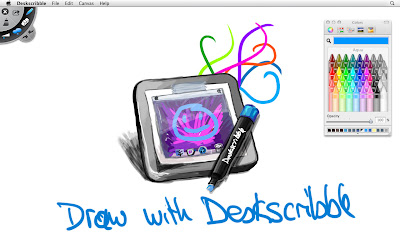
Deskscribble has full wacom tablet pressure sensitivity support as undo/redo support, opacity support, autosaves your work so when you quit deskscribble and launch it again everything is there as you left it. One click and your board is wiped. Saving your scribbles is also no problem, and you can even import images.
Deskscribble is perfect for:
• Presentations
• Visual demonstrations
• Desktop highlighting
• Annotations
• Writing notes
• Scribbles
• Kids doodles
• and much much more…
• Visual demonstrations
• Desktop highlighting
• Annotations
• Writing notes
• Scribbles
• Kids doodles
• and much much more…
Get Deskscribble as cheap as $ 6.99 introductory price now while it´s hot;) Only available on the Mac App Store! BTW did we mention that it has a super sexy and easy to use look?
Thursday, February 3, 2011
Thoughts 1.1 available at the Mac Appstore.
Finally Thouhgts 1.1 codename Monocle is also available at the Mac Appstore. Apple needed more time for reviewing then wie thought. Anyone who bought Thoughts via the Mac Appstore can update now.
Cheers Dietmar
Thursday, January 20, 2011
Thoughts 1.1 Codename "Monocle": Available now!
We are really thrilled to tell you that our next update of Thoughts is out now.
With Thoughts 1.1 Codename Monocle we introduce many new features and imrpovements
to make working with Thoughts even easier.
• Added searchfield in shelf to search for booknames (supports shortcut cmd-F)
• Added possibility to import documents into new book or import documents into current book (supports txt, rtf, rtfd, doc, docx, otd, html and webarchive)
• Added possibility to drag and drop pages from one book into another
• Added support for longer booktitles
• Added Fullscreenmode for books
• Added possibility to show/hide date in pages list
• Added preferences option to disable animations at all
• Added confirmation sheet for deleting books
• Added option menu for dock icon
• Added possibility to import documents into new book or import documents into current book (supports txt, rtf, rtfd, doc, docx, otd, html and webarchive)
• Added possibility to drag and drop pages from one book into another
• Added support for longer booktitles
• Added Fullscreenmode for books
• Added possibility to show/hide date in pages list
• Added preferences option to disable animations at all
• Added confirmation sheet for deleting books
• Added option menu for dock icon
Besides this we also fixed some hard to crack bugs. Printing should work fine now without cropping pages.
Thoughts 1.1 Codename Monocle can be downloaded via www.thoughtsapp.com/Thoughts.dmg or via Check for Update in Thoughts. We also submitted the new version to the Mac Appstore and hope that it will be available there soom too. We will keep you up to date.
I want to say thanks to our translaters around the world who helped us supporting 11 languages for Thoughts. Thanks for all our supportive customers too.
We hope you all like this update. cheers Dietmar
Friday, January 14, 2011
Thoughts 1.1 Codename "Monocle"

Today i will talk about something special. Currently we are hard at work on finishing the newest version of Thoughts version 1.1 called "Monocle". It will introduce some things you have been asking for a while now and i am happy to introduce 3 of the new features which will make working with Thoughts even easier.
1. Searching for books
Monocle will offer a searchfiel in the shelfs upper right corner to let you search through all your books. No need to scroll through hundreds of books to find the one. Just type in the book name and it is there.
2. Importing
Finally you can easily import all your text documents into Thoughts. Monocle will offer to import multiple text documents into books. Supported formats are txt, rtf, rtfd, doc, docx, otd, html and webarchive.
Just click on import, select multiple documents and Thoughts will create a new book and creates one page per document. Smart and simple. You can also import documents into already created books.
3. Drag and drop pages from one book into another
Thoughts 1.1 Monocle will allow you to sort Pages not only inside a give book, but from one book into another. So if you feel the need that a page of one book better fits the content of another book, just open both books, side by side, and drag the page to the page list of the other book, done.
We are also working on other improvements which you have been waiting for a while now. Thoughts 1.1 Monocle will be available soon.
One extra for greenandslimy store customers: Thoughts 1.1 Monocle will be available to you via sparkle before it will be available in the Mac Appstore.
We are really excited and hope you will like it as we do;)
cheers dietmar
Sunday, January 9, 2011
Greenandslimy and the Mac Appstore
The Mac Appstore is now opened its first days, and we feel the need to explain what we plan in terms of future plans of distributing our apps Thoughts and Cockpit.
First let me say, that we are happy to plan to offer both, Thoughts and Cockpit from within the Mac Appstore. Thoughts is available via the Mac Appstore from day 1 in the Mac Appstore. Cockpit will follow soon after.
Mac Appstore pricing VS greenandslimy store pricing:
As you all now Apple is getting 30% of all earnings. We really thought a while about this and came to the point that we at least for now can´t afford to give 30% of thoughts earnings to Apple just to be in the Mac Appstore. That is why we decided to raise the prices a little bit. (about half of the 30% Apple gets, this would be 15% we pay to Apple, and another 15% the Mac Appstore customer pays for having easier update control and more Appstore services from the Mac Appstore) We know that this is not the perfect solution, but as we are a very small company and Thoughts and Cockpit are the only incomes we have for daily living and supporting both apps we hope you understand this solution.
For all customers not wanting to pay more then in the greenandslimy store, they can still buy their licenses as usual for the same prices as ever including demoversions, household licenses and business licenses in our own greenandslimy store
So to sum up here, the Mac Appstore pricings are about 15% more expensive then in our own greenandslimy store because apple gets 30% of all our earnings we make, which is not the case for our own greenandslimy store. You have the choice where to buy.
Mac Appstore customers VS greenandslimy store customers
We plan to support both, greenandslimy store customers and Mac Appstore customers with updates and bugfixes at least until the next paid appversion. So all customers who ordered their licences in our greenandslimy store, or via macbuzzer will get bugfix updates and more at least until the next paid version of Thoughts or Cockpit.
Time will tell if we also offer version 2.0, 3.0 and so on of Thoughts and Cockpit for our greenandslimy store. Anyway, introductory prices for the Mac Appstore are planned, if we decide to offer any future paid version (2.0, 3.0 and so on) of Thoughts and Cockpit exclusively in the Mac Appstore. So you can even save when upgrading to future paid versions if we decide to make any paid version Mac Appstore exclusive in the future.
Thoughts update 1.0.4 coming to all customers
As you may have seen Thoughts version 1.0.4 is already available in the Mac Appstore. All customers who bought their licenses via our greenandslimy store can update to version 1.0.4 via "Check for Updates" from within Thoughts the next week. (Supporting two versions for Mac appstore and our own greenandslimy store takes time, sorry)
So you don´t have to buy again to run the latest version. As said before we also will offer future updates at least until the next major paid upgrade Thought 2.0 and Cockpit 2.0 via this option.
Summary
We are planning to offer both Thoughts (already available via the Mac Appstore) and Cockpit (available soon via the Mac Appstore) We will support both, the Mac Appstore as well as our own greenandslimy store in the future. The cheapest way to get your license will still be our own greenandslimy store. Allthough we are happy to get Thoughts and Cockpit known to many new customers via the Mac Appstore.
We hope that everyone is pleased with our plans for the Mac Appstore. Please contact us via support@greenandslimy if you have any further questions.
Cheers Dietmar
Saturday, December 25, 2010
Ever wonder what the green&slimy guys get as Xmas presents?
Did you ever wonder what we at the green&slimy office get as xmas gifts? If you have thought we have everything Apple related around here, you are wrong. This time it was a really great present i wanna show to all of you.
I got an "iBlanket" done by my girlfriend all by herself. Isn´t that amazing. Now i can sleep all night long knowing apple is with me;) She said she worked hard to get it done in 6 months;) Now isn´t that cool. Check out the photo attached below:)

PS: The cool iOS Appicon magnets where just a little bonus on that:)
http://www.jailbreaktoys.com/App_Magnets_p/mgapp00.htm
Wish all of you happy Xmas;) Cheers dietmar
Sunday, May 16, 2010
Cockpit 1.0.3 available now!
Last we fixed a few bugs in Cockpit. The new version of Cockpit fixes a bug where useres could not install new Controls downloaded from the Controls center.
Pleaseupdate your version of cockpit up to 1.0.3. This is recommended for everyone using Cockpit.
Version 1.0.3
• Fixed bug where controls could not be installed unless a control was created manually first
• Minor bugfixes
• Fixed bug where controls could not be installed unless a control was created manually first
• Minor bugfixes
cheers dietmar
Thoughts 1.0.3 available now!
Today is the big update day at the green&slimy office. Let´s start with the long awaited update for Thoughts.
This version of Thoughts fixes some critical bugs. This updated is highly recommended to everyone using Thoughts. Thanks for your patience on this update.Version 1.0.3
• Fixed problem where books would not open at all
• Fixed bug where pages could get lost
• Fixed possible crash that could occur after trying to format images
• Updated russian translation
• Fixed problem where books would not open at all
• Fixed bug where pages could get lost
• Fixed possible crash that could occur after trying to format images
• Updated russian translation
Thanks for your patience on this update.
cheers dietmar
Sunday, May 9, 2010
Cockpit 1.0.2 out now!
This version fixes an issue for deleting Cockpit controls which was not possible when control was active.
cheers dietmar
Saturday, May 8, 2010
Cockpit 1.0.1 out!
The first update for Cockpit is out now and can be downloaded from our servers.
Release notes:
• Fixed issue where a controlled app restarted, after it was quit by user
• Fixed issue where active controls could not be deactivated
• Fixed issue where icons of custom controls were pixelated in hotkey overlays (old custom control icons have to be replaced by larger icons in order to be compatible)
• minor optimizations
• Fixed issue where active controls could not be deactivated
• Fixed issue where icons of custom controls were pixelated in hotkey overlays (old custom control icons have to be replaced by larger icons in order to be compatible)
• minor optimizations
This update is recommended to all Cockpit users.
We hope most bugs are ironed out now;)
cheers dietmar
Thursday, April 29, 2010
Cockpit for Mac OS X - Available now!
Welcome the new green&slimy app: Cockpit! Available now!
Cockpit is a really flexible multi application controller and automation center. It is freely extendable with Cockpit Controls and integrates Automator.
Features:
- Controlling your apps and your system
- Launching apps
- running tasks, AppleScripts, Shel Scripts and more
- do all the above use cases by custom and global hotkeys
Try out Cockpit now. Get your copy at www.cockpitapp.com
We hope you all enjoy Cockpit as much as we did creating it:)
cheers dietmar
Wednesday, April 28, 2010
Coming April 2010: Cockpit!!
Most of you where guessing what we do since the release of Thoughts. Sure we have fixed many bugs and impemented many feature requests. And this is what we will do in future too;)
But today we announce our new Member of green&slimy apps: Cockpit.
Soon you can control your Mac with hyperspeed thanks to Cockpit. And what would you expect from a green&slimy app? Sure, a userfriendly and stunning UI…
Check out www.cockpitapp.com to learn more;)
Coming April 2010. Oops that is just some more days left in April…
So, this in fact was what we where working the last months on and made us many sleepless nights
Hope you like it as i do;)
cheers dietmar
Sunday, January 31, 2010
Thoughts 1.0.2 out! Allows basic syncing to other macs via dropbox or idisk
Another update for Thoughts is out. Version 1.0.2 can be downloaded from you servers.
This update brings some often requestesd features, like default formating for new pages, custom location for the shelf folder, show/hide the sidebar of opened book documents. But most importantly it brings basic syncing to other macs via dropbox or idisk. To use this choose your idisk shared folder (or dropbox folder) of choise as Thoughts shelf folder location. (Warning: This does not allow to work on one book simultaneously on two macs
There are also many bugfixes and optimizations which should speed up the overall use of the shelf and more.
Grab your copy here:)
Hope you like the new features;) cheers dietmar
Friday, January 29, 2010
Thoughts prototypes based on my apple resume token for the ipad???
After that i got an email back grom steve and from the apple staffing section, where they asked me for a resume and worksamples. I sent them to apple.
Have a look at the email i sent to apple in 2006:

Now guess what i see, the ipads ebook reader interface (when you open up the book) looks exactly like the one i sent apple in 2006. This resume was a prototype which Thoughts is based on.


I know that this is some kind of often used metaphor, and maybe these are just little details, but i thought it would be interesting to mention it and see what you think of it. As Andreas (the coding guy behind green&slimy) mentioned, as this is just a visualization of a real book, there woudln´t be that much possibilities of doing this. It just hit me when i first saw the ebook reader and let me think on thoughts:) So no offence on this:)
If Apple was inspired by prototypes of thoughts or not, i like the ebook reader interface, and i have highest respect of all the work gone into the iPad User interface design and workflow thinkings;)
cheers dietmar
Sunday, January 24, 2010
Thoughts 1.0.1 out!
Our first week of Thoughts beeing released we got much feedback from you and we are very thankful about that, because it helps us improving Thoughts;) We also got some bug reports which we where hunting after to fix and we are happy to announce Thoughts version 1.0.1 for download;)
With this version Thoughts now shows all books on startup (and not only 3 and the rest later) Thoughts also allows to undo page deletes now. So your deleted pages are not lost, but just an undo away;)
You can update Thoughts with the inapp autoupdate feature. (Thoughts>check for updates) or you can download Thoughts 1.0.1 at www.thoughtsapp.com
Thanks alot, cheers dietmar
Sunday, January 17, 2010
It´s finally here: Thoughts available now!!!
Hi
We had a long week and a much longer night today:) But finally it is done. Thoughts is available for download at www.thoughtsapp.com
So grab your copy today. We hope you all have much fun using it;)
You can also buy a license at our store for 24€ each from now on.
So i will go to bed now;) really tired after so much work;)
Have a good day, cheers dietmar
Subscribe to:
Posts (Atom)